CEE User Guide
Practical guide to certificates, recaps, tracking, statistics and reference tables.
DASHBOARD
The dashboard gives a quick overview of certificate activity for the signed-in agent: total certificates, validated, pending and errors. The vertical bar chart compares statuses; the trend chart shows recent activity. Last certificates and recent activity provide shortcuts to current work. The profile area groups messages, profile, access log, recap and search buttons according to the user's permissions.
INSERT
Create a certificate by choosing the shipment type and completing the relevant sections: importer and exporter, route and transport, cargo, freight and required attachments. Save the draft, review validation messages, then use the available validation action when the record is complete. Required fields and allowed actions depend on role and certificate status.
CERTIFICATE EXAMPLES
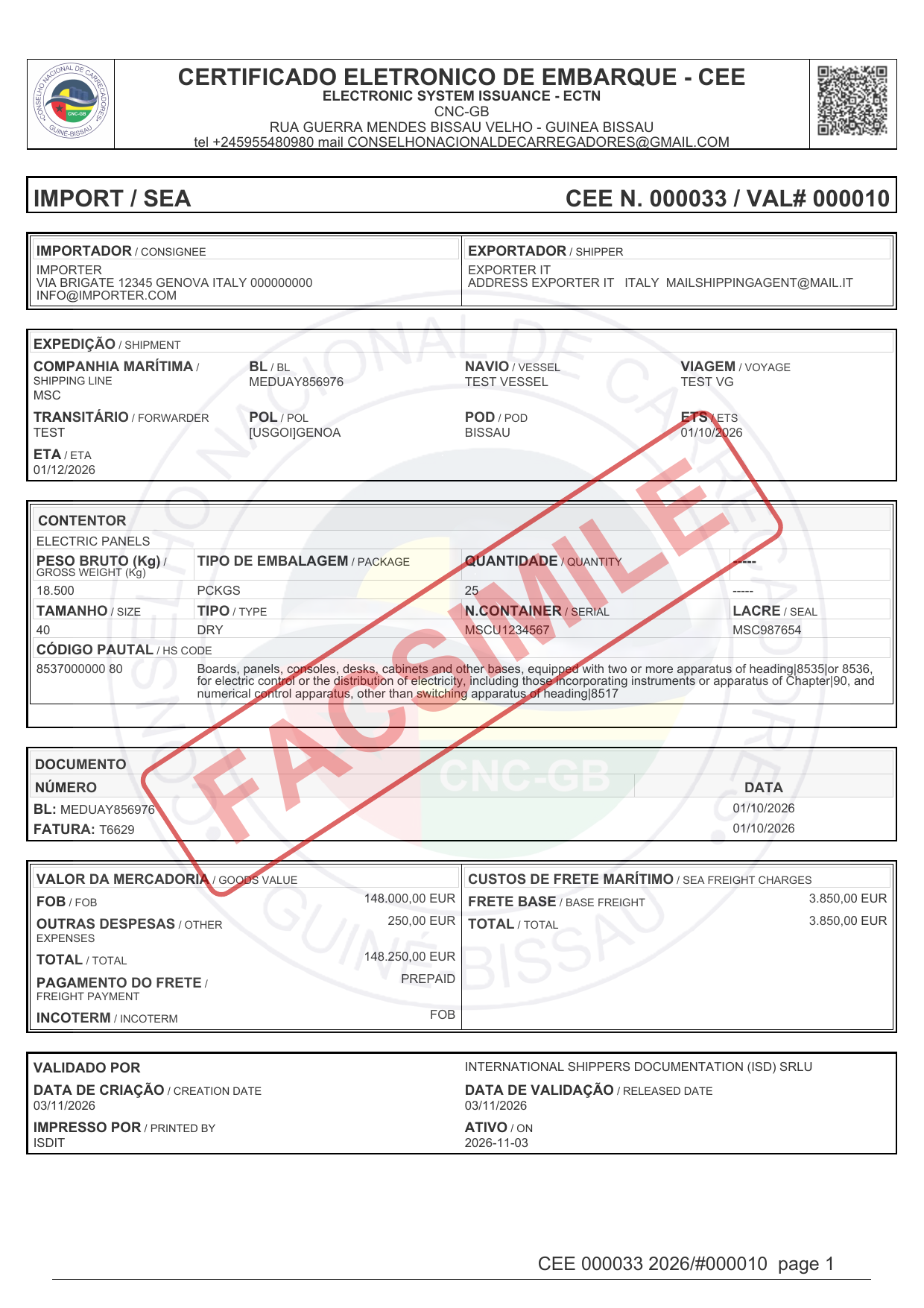
Validated certificate
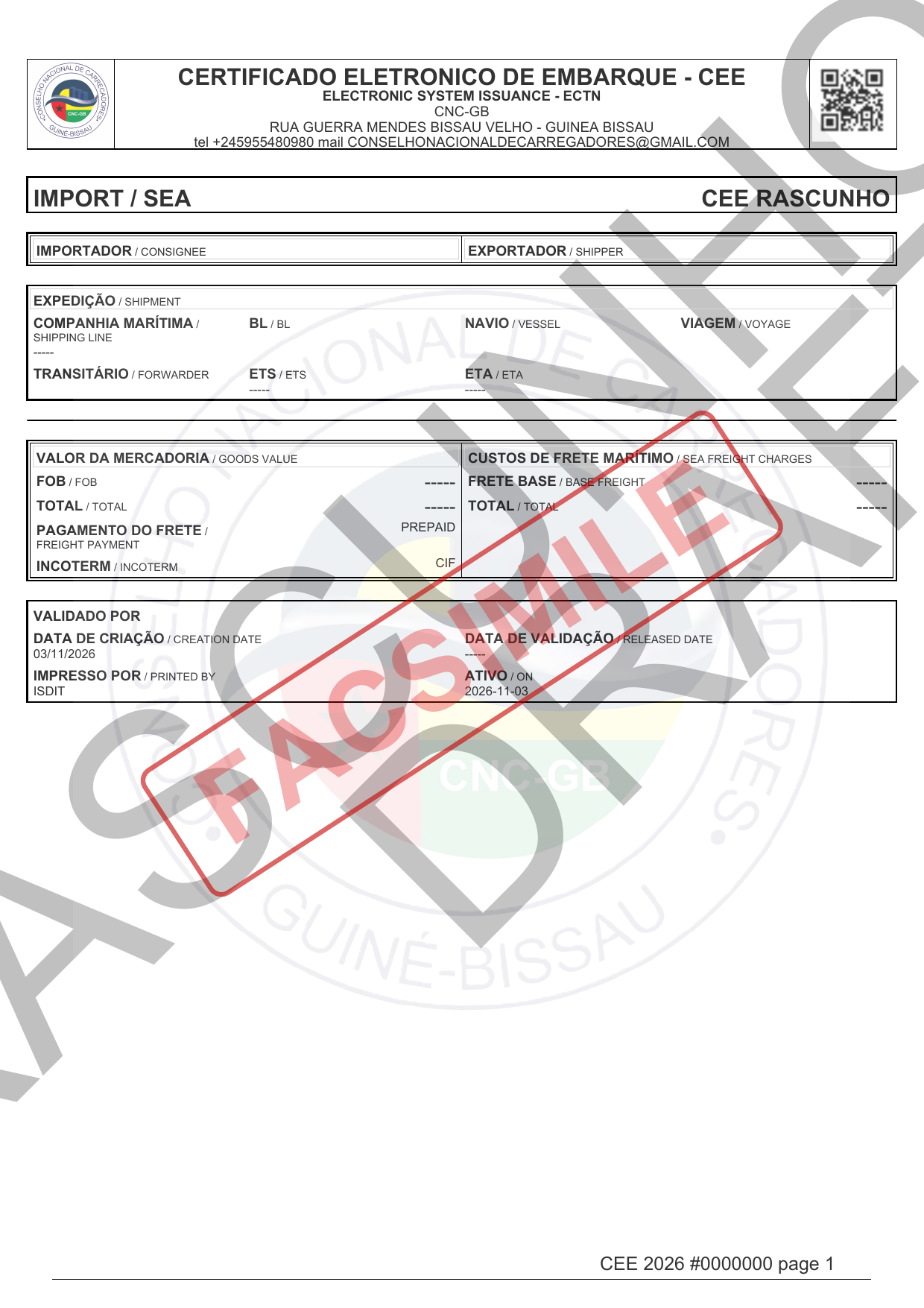
Draft certificate
SEARCH
Filter certificates using the available criteria, such as number, date, agent, route, transport and status, then run the search. Open a result to review its details; edit, validate or download documents only when your permissions allow it. Users with VIEW_ALL can see certificates for all users and statuses. Saved preferences can retain a frequently used filter.
| Reference | Route | Status |
|---|---|---|
| DEMO-2026-001 | Bissau → Dakar | Validated |
| DEMO-2026-002 | Bissau → Lisboa | Pending |
RECAP
Agents use their recap to review monthly validated certificates, shipment counts, quantities and collections; expand a period to inspect certificate details and totals, or export to Excel. Administrators use the recap overview to review periods by agent, open a period and validate it where available. The sample rows below are fictional: AG-DEMO is not a real account and the figures are examples only.
| Period | Agent | Reference | 20' | 40' |
|---|---|---|---|---|
| 04/2026 | AG-DEMO · Demo Agent | 8 | 12 | 5 |
| 03/2026 | AG-DEMO · Demo Agent | 6 | 9 | 3 |
Admin recap example: review the monthly periods for several agents
| Period | Agent | Reference | Status |
|---|---|---|---|
| 04/2026 | AG-DEMO-1 · Sample Agent One | 8 | Validated |
| 04/2026 | AG-DEMO-2 · Sample Agent Two | 5 | Pending |
TRACKING
Choose Bill of Lading (BL) or container, enter the exact identifier and submit. Matching certificates show the certificate number, creation date and agent. If there is no match, check the identifier and selected search type. The example identifier is fictional.
| Reference | Period | Agent |
|---|---|---|
| DEMO-BESC-001 | 12/04/2026 | AG-DEMO |
STATISTICS
Choose a date range and grouping dimension to summarize validated certificates. Available dimensions include route, POL, POD, carrier and goods, origin, transport type, importer and exporter. The chart and grouped table show certificate counts and average freight in EUR; expand a group for certificate details or export the report to Excel.
| Route | Validated | Freight EUR |
|---|---|---|
| Bissau → Dakar | 7 | 1,250.00 |
DOCUMENTS AND NEWS
The public Documents and News page publishes official documents from the Guinea-Bissau Shippers' Council and the Government of Guinea-Bissau. These documents regulate the issuance of CEE certificates and maritime transport to and from Guinea-Bissau. Open a document to download it, or browse a news item. Administrators manage the catalogue from the Documents table: add or edit an item, set its language and publication visibility, and save. Reserved or unpublished files are not available on the public page.
| Name | Language | Type | |
|---|---|---|---|
| Demo user guide | EN | Download | |
| Demo service notice | FR | News | Open |
ADMIN REFERENCE TABLES
Reference tables support certificates and system configuration. Administrators can search, sort, paginate, reorder or show columns, export the list, load/import data where offered, and open a row to edit it. Use delete carefully because removing reference data may affect related records.
PORTS
The Ports list shows code, name, country, port range and whether the port is a destination. Create or edit a port with its code, translated names where required, country, range and destination flag. Search and export help maintain the catalogue; pencil opens a record and the trash button deletes it.
| Code | Name | Country | Destination |
|---|---|---|---|
| DEMO-P1 | Demo port one | Demo country | ✓ |
| DEMO-P2 | Demo port two | Demo country |
COUNTRIES
The Countries list shows country code, name and continent. The editor stores the code, name, English and French names, continent and extra-territoriality flag. Search, sort, pagination and export are available from the list; use New, Edit or Load to maintain the reference data.
| Code | Name | Continent |
|---|---|---|
| DEMO-1 | Demo country one | Demo continent |
| DEMO-2 | Demo country two | Demo continent |